Why I Love Trello and Why You Should Too
What is Trello?
Trello is a visual project management tool. The biggest project I can think of is your life! Trello uses a Kanban-style system with boards to help optimize productivity. All this means is that you can set up your boards as: To Do, In Progress, and Complete.
The reason why I love Trello is because it’s super customizable. While you can use the traditional Kanban setup, the options are truly limitless. I personally use about 8 boards that have many different cards. Let’s take a look at my top 3 boards so you can get a feel of just how customizable Trello really is.
To Do Board
My To Do Board has the following cards:
To Do Today - what I need to get done immediately
In Progress - what is currently in progress
Tomorrow - short-term planning
This Week - weekly planning
Backlog - everything I need to get done eventually, then I move those tasks into the cards above when it’s time
Done - every task I’ve completed
This really helps me lay out all of my tasks. Now that I’m trying to become a content creator, website owner, and homeowner, I’ll bring in tasks from those boards into this board so I have every to-do in one space. This helps me not lose track of the things I want to complete.
Fitness Board
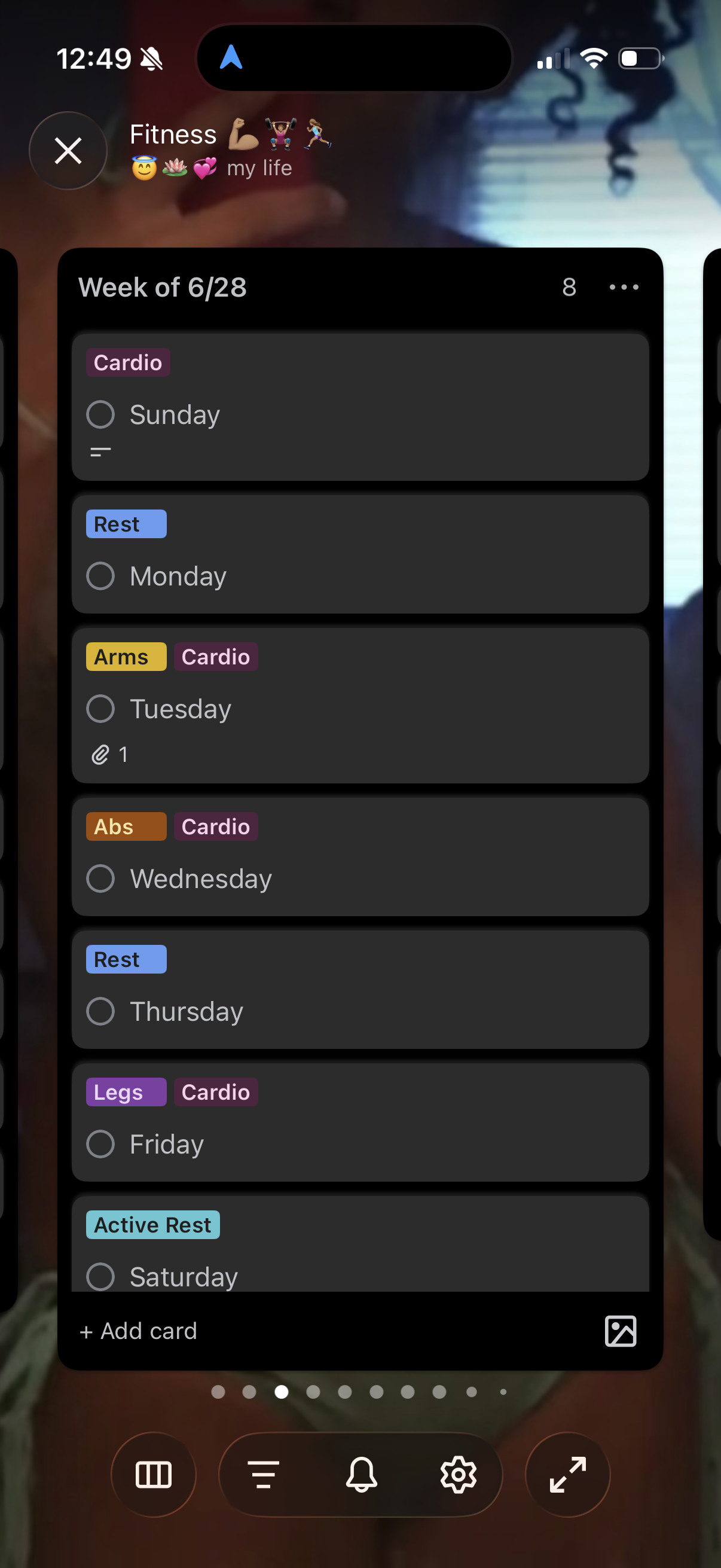
My fitness board helps me track my fitness journey. The cards are titled “Week of [Insert Date]” and then I have Sunday-Saturday within each card. I use labels to help keep track of what body part I worked: arms, abs, back, legs, etc. Then I’ll track exactly what workouts I did on the specific card.
I also use labels for tracking my cardio and weight. If I weigh myself, I’ll have a card labeled “Weigh In” so I know that card holds my weight if I’m looking to compare my progress. Having my fitness board set up like this helps me really visualize how consistent I’ve been throughout my journey.
Food Board
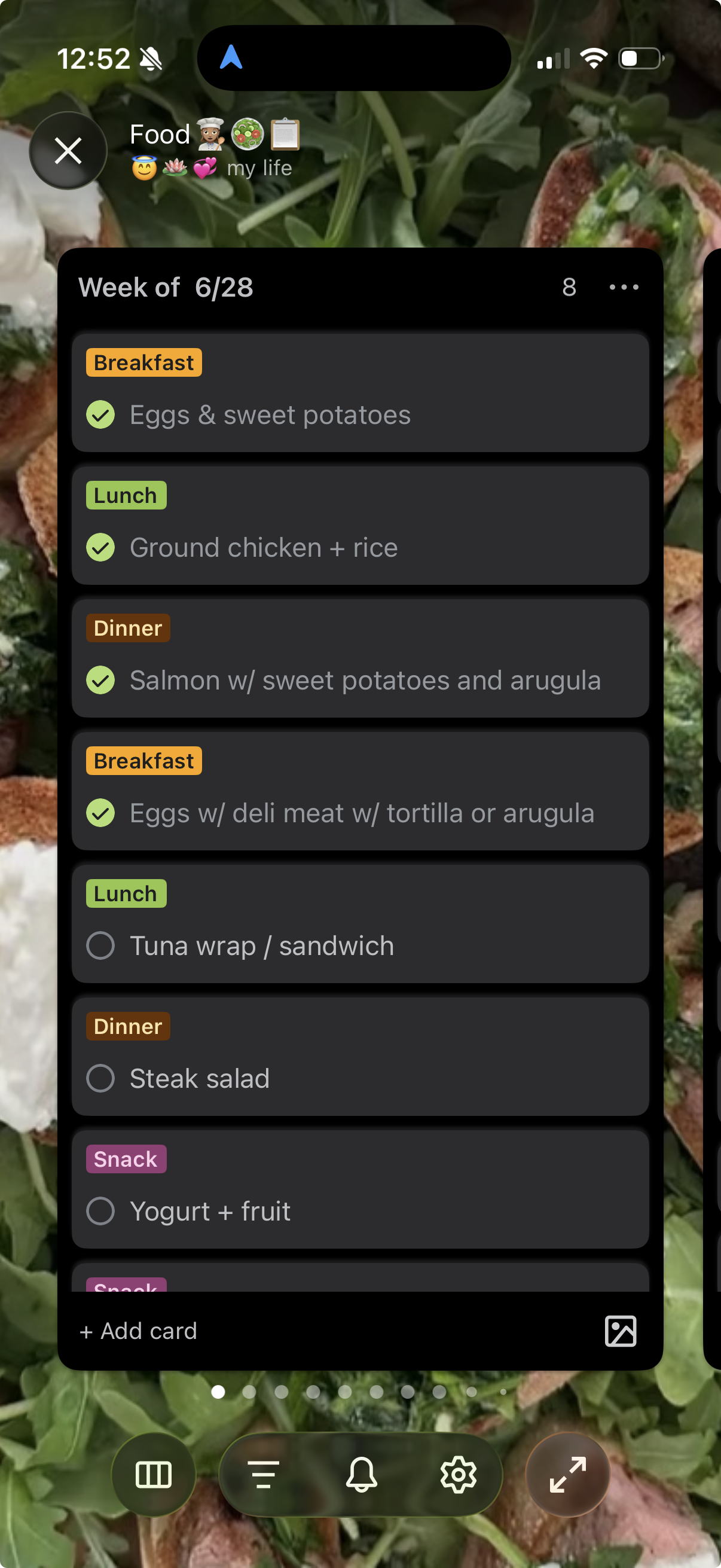
Similar to my fitness board, I have a card titled “Week of [Insert Date],” but instead of weekdays, I build my menu. I’ll include the meals I’m making and use labels to categorize them as breakfast, lunch, dinner, and snacks.
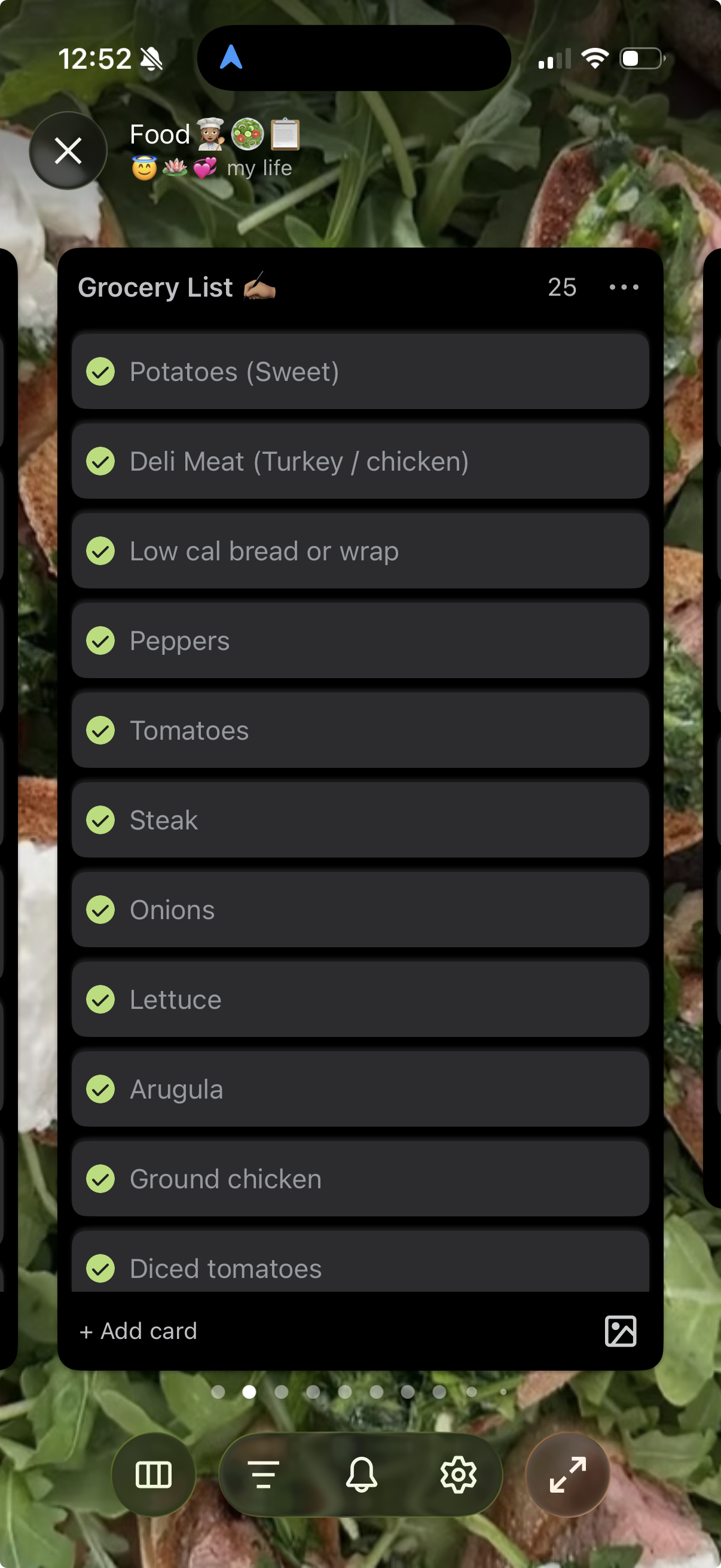
I have another card titled “Grocery List.” I can see what meals I’m making for the week and add what I need to my grocery list right next to them. This makes creating my grocery list way more intuitive.
Final Thoughts
These are just three examples of how customizable Trello is. The configurations are endless and completely up to your needs. I highly recommend trying out this app.
After all, the biggest project to keep track of is your life!
